Apple iPhone 17 review
iOS 26
All iPhone 17 models, as well as the Air, boot Apple iOS 26 out of the box, and it has already been seeded to older iPhones all the way back to the iPhone 11.
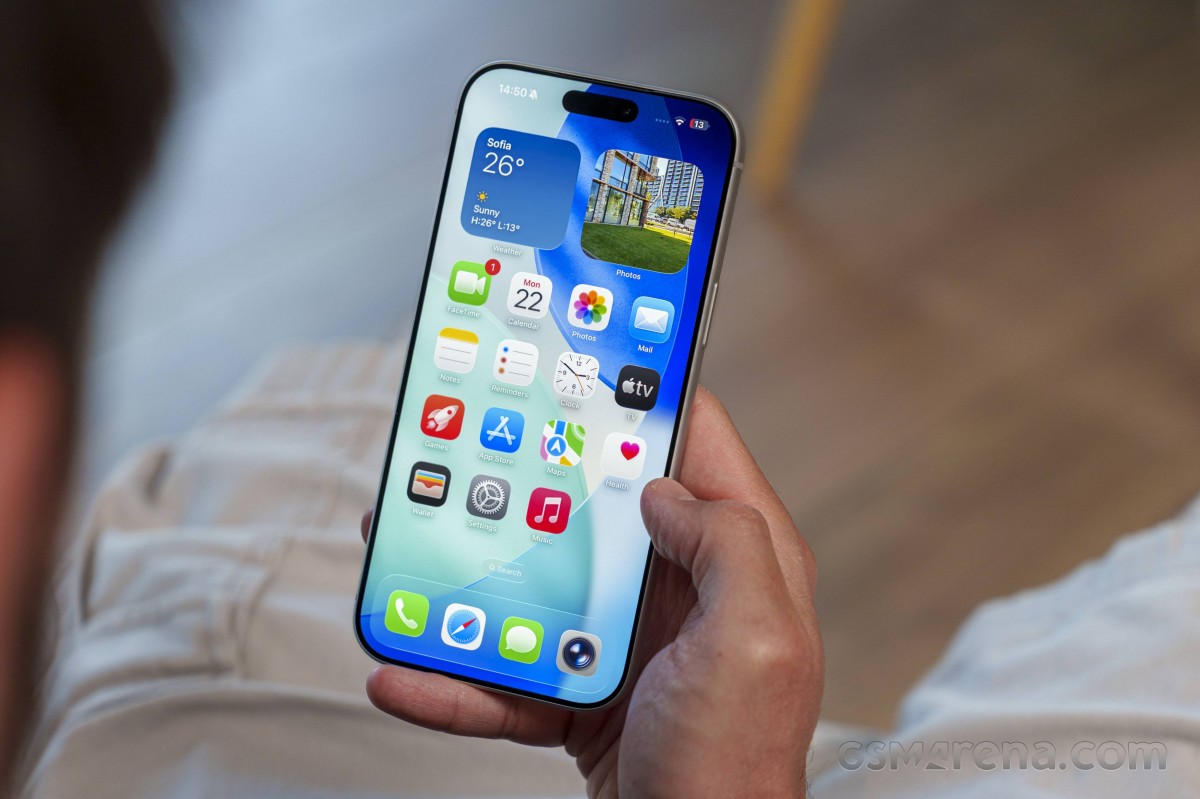
The version jump is certainly unusual - it has gone from iOS 18 to 26, matching the (fiscal) year as Apple decided to switch to a unified naming scheme for its portfolio of operating systems.
The biggest change to iOS 26 is Liquid Glass - Apple's new design language. It's clearly inspired by visionOS, and Apple says it "makes something purely digital feel natural and alive." The entire UI features crystal-like (or liquified) design elements and a more dynamic touch response.
In addition to the new customizable UI, together with fonts, animations and colors, many system apps have been updated, too. Photos, Phone and Contacts, Messages, Camera, Safari, Wallet, Maps, plus services like Apple Intelligence, Games, CarPlay - they were all updated with new look and features.
Lockscreen
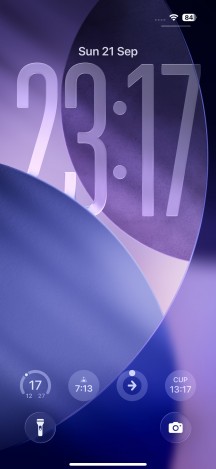
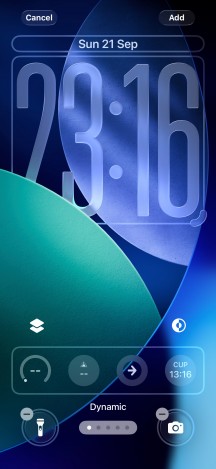
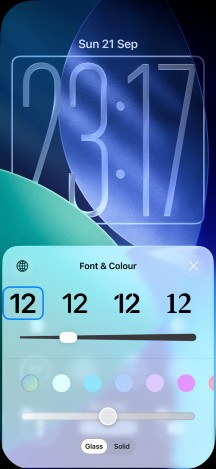
Always-on and Standby always-on (when charging) options are available to all new iPhones. The Lock screen is updated with Liquid Glass and is now more customizable. The time widget is easily resizable, and it can adapt to the main subject of your photos and the number of incoming notifications. Apple also added new spatial scenes, which bring a 3D effect to your wallpapers.
The lockscreen on iOS 26 follows a familiar logic - it's one with the Notification Center and houses your notifications, plus shortcuts for the torch and the camera.
Every widget, shortcut and wallpaper can be customized in various different ways, and you can make the whole thing really yours.
Lockscreen
Homescreen, notifications and Action center
Beyond the lockscreen, the iOS interface is still based on homescreens populated with apps and widgets. You have the App Library (app drawer) for your less important apps and Notification and Control Centers. There is also a Spotlight search page.
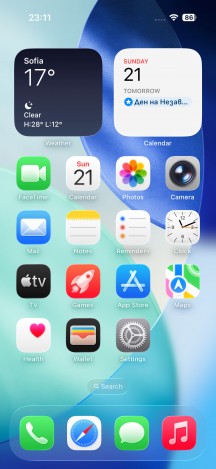
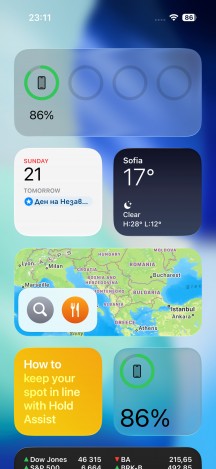
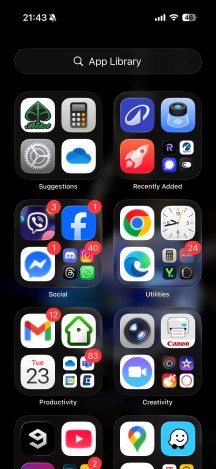
iOS 26 homescreens
Your apps usually populate the homescreen(s) and widgets. There are two specific screens - the leftmost is the Today page, while the rightmost page - App Library.
You can hide specific homescreens - you may have a page that's full of games and hide it when at work, or hide a page of work/school apps when on vacation. You can't opt out of Today and App Library, though.
The homescreen supports icon customization - you can enlarge the app icons and hide their names, choose an accent color for all icons, switch between light and dark themes, and there is a new monochrome look with liquefied opacity option.
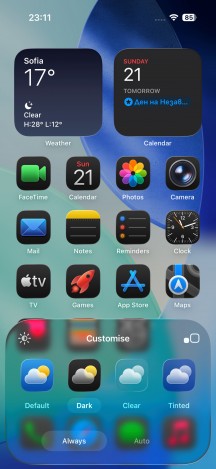
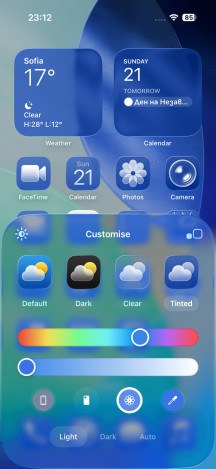
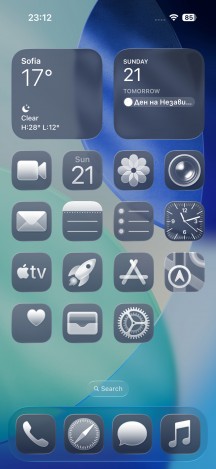
Icon customization
The widgets have seen visual updates and they can be stacked as before.
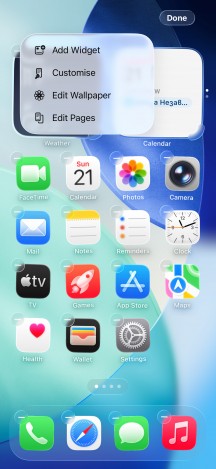
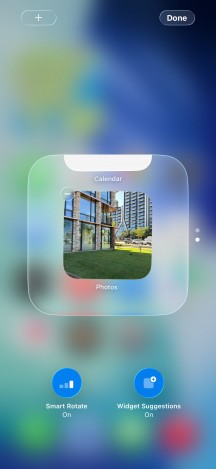
Widgets
The Notification Center is summoned with a swipe from the left top corner or the pill itself. The pane was unified with the lockscreen in iOS 11, and that's why you can have different wallpapers on your homescreen and notification center.
The Control Center supports multiple pages and offers a ton of different toggles and widgets. Some of the toggles are expandable, as before.
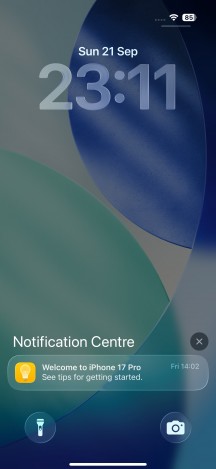
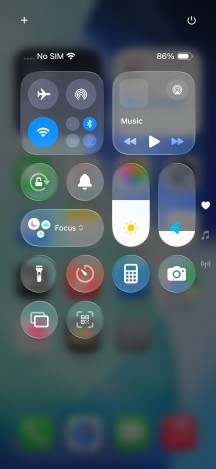
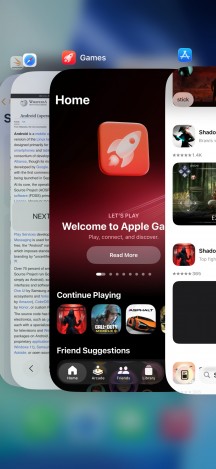
Notifications • Controls • Task Switcher
The Task Switcher hasn't seen any updates - you see app cards and swipe them for closure. You can also swipe on the gesture line to quickly switch between apps.
Finally, the Dynamic Island is unchanged. It is still an enlarged black pill that allows for a more convenient multitasking when using timers, music players, phone app, Focus modes, etc.
System apps
The Photos app is updated with the new visual identity and gets Library and Collections tabs. Any 2D photo can be transformed into a 3D Spatial Scene.
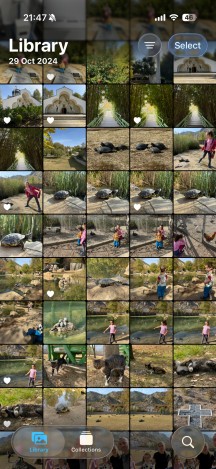
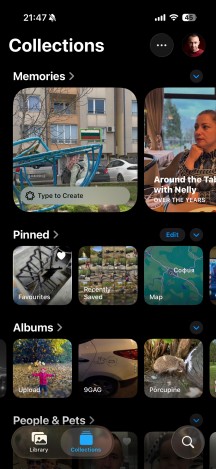
Photos
Safari features a compact, adaptable tab bar that blends seamlessly into the page as you scroll and dynamically shrinks, allowing you to see more of the page.
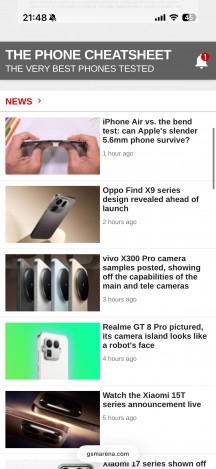
Safari
FaceTime has a new landing page with personalized contact posters and video messages from your contacts.
The Phone app gets a favorites tab with recent contacts and voicemail listed below. Apple is bringing voicemail summaries to help you save time. The contacts and keypad are still accessible below.
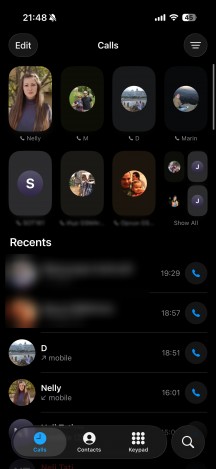
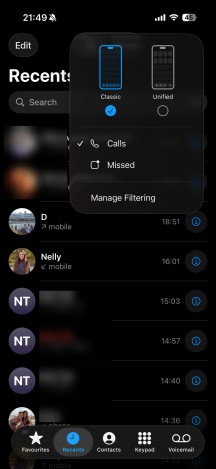
Phone
Call Screening will fight spam calls coming from unknown numbers in the background. If you receive a call from an unknown number, your iPhone will only begin to ring after the person on the other end provides their name and the reason for the call.
Hold Assist can help you maintain your spot during calls when waiting in line for phone support and will notify you when you've reached a live representative on the other line.
Messages now features new backgrounds for chats, allowing you to even use AI-generated ones. Group chats get polls, Apple Cash inside the chat and typing indicators. The screening tools from the Phone app are also here with on-device spam detection.
Live Translation is Apple's overhauled translation app, powered by Apple Intelligence. It is integrated into the Messages, Phone and FaceTime apps. You can use the feature during calls and also get translated captions during FaceTime video chats.
The TV app is part of iOS 26, and it is your default video player for locally stored movies and shows you've added via iTunes. This is also the digital store for movies and TV shows, as well as the location where you can find the Apple TV+ streaming service. A bit overwhelming, but you get used to it eventually.
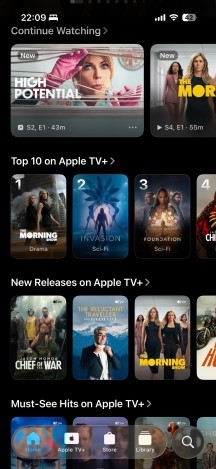
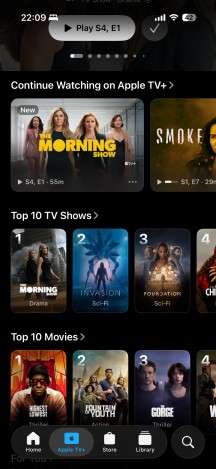
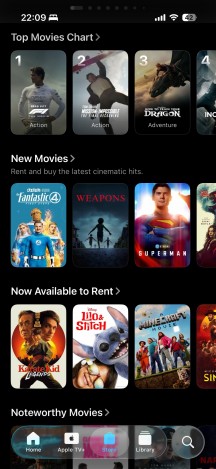
TV
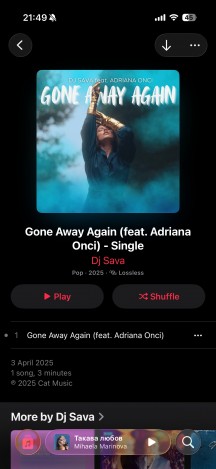
Music is the default audio player, and it integrates Apple Music. But even if you decide not to use the streaming service, it can still do an excellent job if you have a few spare minutes to add your songs via iTunes.
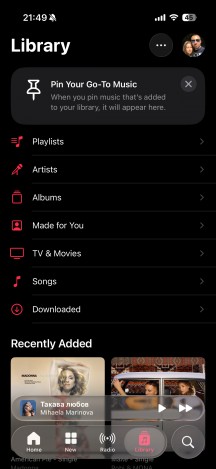
Apple Music
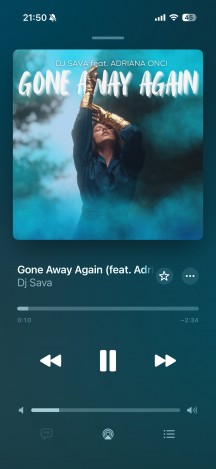
Apple Music gets lyrics translations and pronunciation guides as well as 3D album artwork animations on your lock screen. AutoMix helps create mixes and automatically adds transitions between songs. Music Pins allows you to pin favorite songs, artists and genres.
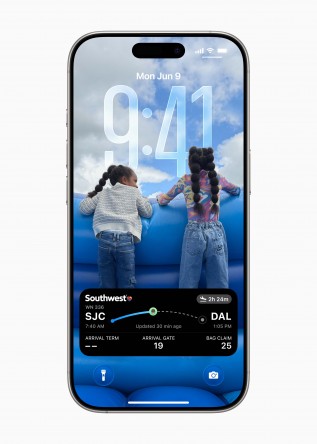
The Wallet app gets a new boarding pass interface with maps for popular airports. You can also share your flight status and Find My trackers.
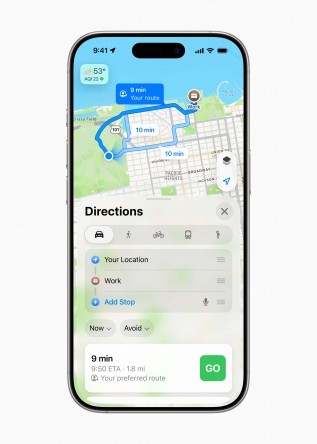
Apple Maps can now learn your preferred routes and will adapt to your commutes to improve your trips. Apple is also introducing Visited Places to help you remember restaurants and other locations you've recently visited.
Apple Wallet flight status • Apple Maps
CarPlay is also in on the Liquid Glass redesign as it extends its way into the car. You get light and dark modes, as well as new compact alerts for incoming calls, messages, and other notifications. Apple is also bringing widgets to the CarPlay UI and Live Activities. The same widgets made for iPhones will work on the new CarPlay.
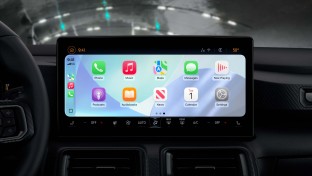
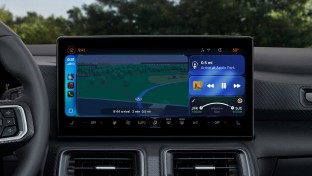
CarPlay in iOS 26
iOS 26 brings a new Games app. It's an all-in-one destination for games, exploring new titles and connecting with friends. The app features Home, Arcade, Play Together, and Library tabs. Gamers can find upcoming events, new updates and can jump into their favorite games straight from the app.
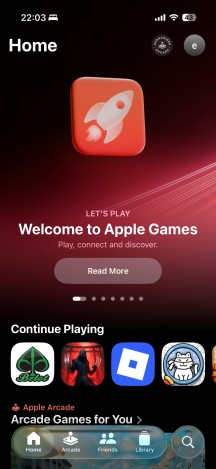
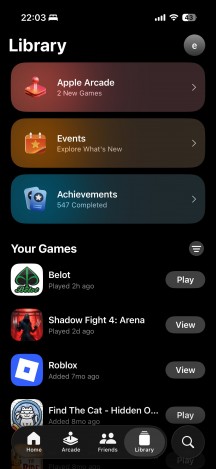
Games app
Apple Intelligence
Apple Intelligence is now available to most of the world, Europe included. And Apple is adding an alternative to Google's excellent Circle to Search to its core feature set.
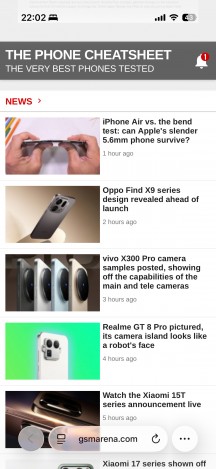
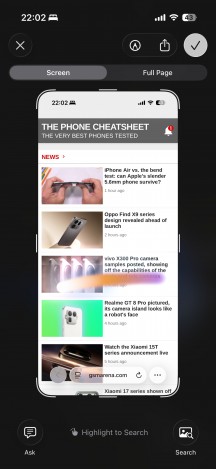
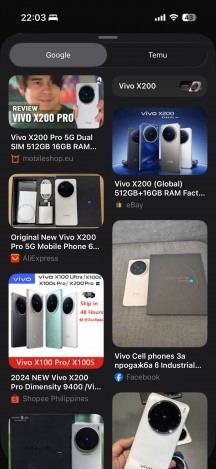
Visual Intelligence
Visual Intelligence lets you search for anything on your screen, much like Google's implementation. However, Apple's method takes a few more steps as you take a screenshot, then see the new Ask tool and Image search button. From there, you can highlight the item you want to search for, and it will appear in Google or any other app you use for searching and shopping. Visual Intelligence can also extract text from event invitations and features ChatGPT integration.
Camera
The Camera app is another one to get the Liquid Glass redesign. The UI is now round, and a swipe brings up all settings. More importantly, all the photo and video quality options are finally available in one place!
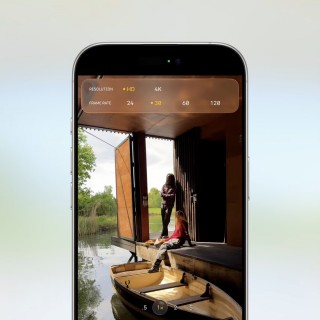
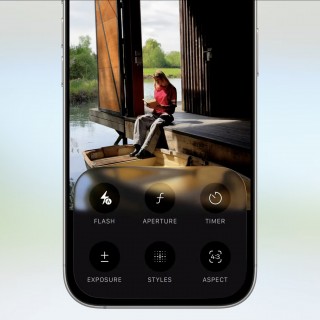
iOS 26 Camera app
Wrap-up
Apple iOS 26 is one of the largest overhauls the Apple's smartphone OS has seen recently, the new Liquid Design language really refreshing its look.
We appreciate all new features added throughout the whole system, including the Visual Intelligence, Call Screening, Game services, improved Camera app, and highly customizable home and lock screens.
But we are not sure that Apple has stuck the landing with the Liquid design itself. It brings a sort of retro look and vibe, but it makes a mess of some elements and causes inconveniences in certain parts, as everything seems somewhat chaotic. There is considerable room for improvement, particularly with buttons and elements that require rethinking or repositioning.
The once-famous for its cleanliness and symmetry iOS has turned into an animated concoction that is seemingly falling behind. And while we appreciate Apple's effort to change the look, it will need to work hard to polish the numerous rough edges the new version introduces.
Most notable of those is the lack of core features. There is no improvement in file management - either within iOS or via a computer. It is still a nightmare to manage files. However, now you can assign an MP3 file as your ringtone, provided it's 30 seconds long. This sounds like it's coming from the year 2015.
Apple is also falling behind in the AI race, and while it's investing heavily to catch up, we have yet to see any meaningful steps forward.
Obviously, people familiar with iOS and used to its shortcomings will not find much wrong with version 26. It remains a stable OS, if dated on the feature side.


Tip us
2.1m 180k
RSS
EV
Merch
Log in I forgot my password Sign up