Well connected
Samsung S5620 Monte review: Well connected

Bare-bone 3MP snapper
The Samsung S5620 Monte is equipped with a 3 megapixel fixed-focus camera that can take photos with a maximum resolution of 2048x1536 pixels. The hardware is pretty bare-bones - all you get is the camera, no flash or lens protection, nothing besides the shutter key.
It's good that the camera still has a number of nice built-in features like smile shot, preset scenes, viewfinder gridlines, geotagging and panorama mode. Geotagging is one of the features that put the S5620 ahead of other similarly priced touch phones.
The camera interface is nicely touch-optimized - it's almost the same interface as on the Samsung Jet.
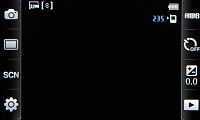
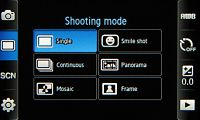
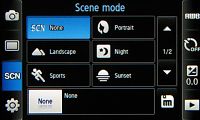
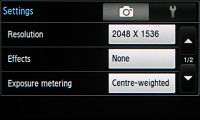
The camera user interface
For a 3MP snapper, the camera on the Samsung S5620 is actually pretty good. The photos have low contrast, which makes them seem a bit dull, but at least there’s no blowout. Noise levels are low but the traces of noise reduction are visible in the smudged details.
The photos turn out with slightly oversaturated colors, but this is common as most consumers prefer it this way.






Camera samples
Synthetic resolution
We also snapped our resolution chart with the Samsung S5620 Monte. You can check out what that test is all about here.

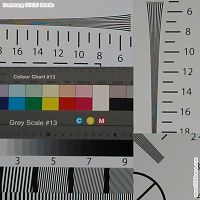
Samsung S5620 Monte resolution chart photo • 100% crops

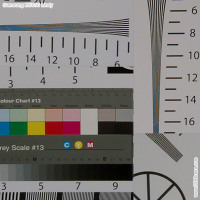
Samsung M5650 Lindy resolution chart photo • 100% crops
Video recording
The Samsung S5620 Monte offers video recording too, but it's nothing to get excited about - it can only manage QVGA at 15fps. We wouldn’t use it for anything other than MMS.
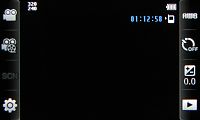
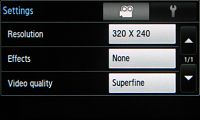
The video recorder interface
Now here's a sample if you want to check it out.
Samsung S5620 Monte video sample, QVGA@15fps
Internet connectivity is great with 3G and Wi-Fi
The Samsung S5620 Monte has quad-band GSM support so it’s usable worldwide and it also packs 3G support at the 900/2100 bands. There’s 3.6Mbps HSDPA support for faster downloads. For data-intensive tasks you also have the option to go through Wi-Fi. The Wi-Fi manager is the standard Samsung one and will do the job perfectly.
Bluetooth is available and it is complete with A2DP support. The microUSB port for syncing and data transfers is also on board and it can charge the phone off a computer. In mass storage mode, you can access the memory card but not to the internal memory.
There’s a 3.5 mm audio jack for the audiophiles.
Excellent web browser let down by RAM shortage
The Samsung S5620 Monte, like other Samsung feature phones, has the new WebKit-based Dolfin web browser. With Flash support and one-finger zooming, it is one of the better web browsers we have seen on a feature phone.



The web browser is great when it works, frustrating when it doesn’t
The Dolfin browser also supports double tap for zooming to a specific part of the page and zooming back out. The browser also offers kinetic scrolling and fullscreen view.
The actual zooming is slow – it takes a couple of seconds to redraw the content when zooming in, but the panning and scrolling are fairly smooth (only longer pans lag a bit).
The Flash support extends to include full featured YouTube videos but the Monte fails to make full use of those. It either has insufficient system memory or its memory management lets it down. We didn’t manage to play a video on YouTube, not even on other video sharing sites. Flash games also failed to work.



The Flash player needs more RAM
On DailyMotion, for example, the browser kept throwing “Memory full” errors each time we tried to zoom in, even after a fresh restart.
All this makes the browser very frustrating to use on content-heavy pages, but when the browser works - it’s great.
Update, May 17: Some of our readers report that the browser works fine with YouTube, so the issues could be unit-specific. However, we've seen other reports on the Internet, which match our problematic experience with the Monte browser, so the issues are not limited to a single unit.


Tip us
2.1m 180k
RSS
EV
Merch
Log in I forgot my password Sign up