Have a break!
Motorola Moto E review: Have a break!
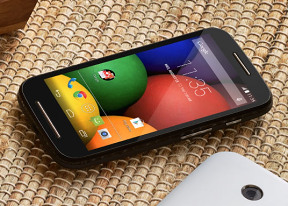
Two galleries at your disposal
Android 4.4 KitKat offers two gallery apps - the default Gallery and the recently introduced Photos.
The Gallery app shows all of the photos on your phone sorted by albums. There is a pop up menu, which allows sorting you images by time, by album or just limit your image access to camera roll.
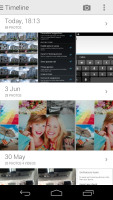
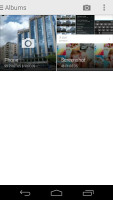
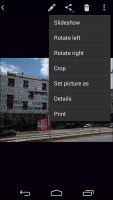
The Gallery app
There are lots of sharing options, plus a capable integrated image editor.
The Photos app is the latest gallery app Google is trying to push lately. It integrates with Google+ and can backup your images automatically to your Google+ account if you like. It also shows all the photos from your online albums.
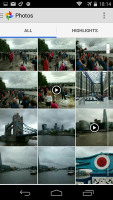
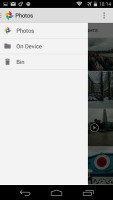
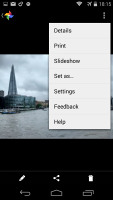

Photos gallery
If you sign in with your Google+ account, you can also use the Auto Awesome feature - it combines similar photos and videos in a cool way - it either exports a collage picture or a motion gif. If you like the combination the gallery has made for you, there is a dedicated shortcut to save the new picture in the gallery.
Basic video player integrated within the Gallery
The video player is still not getting the necessary attention from Google and there's still no dedicated videos app (you have to go through the Gallery or Photos). The only supported format is MP4 up to 1080p resolution. That's it. There is no subtitle support.


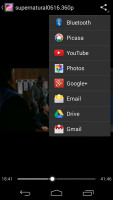
Video player
Streaming videos to a Wi-Fi enabled TV is available. One way to go about this is to share your multimedia content over good ol' DLNA technology OR you can mirror your device's screen to the TV via the Miracast protocol (Cast screen is the name of the option).
Play Music plays the music
Google's own music player called Play Music handles your music collection. It features the spanking New Listen Now feature, which tries to determine what you like and the sequence of your track-changing so that it can start offering you music you might like to play next.
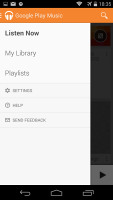
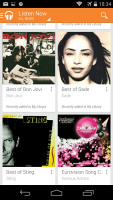
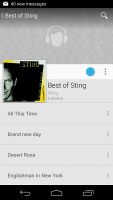
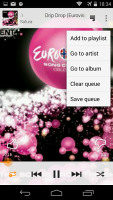
Play Music
Google Play Music also gives you the option to upload music onto the Google-branded cloud and stream it on your device via Wi-Fi or mobile data. There's also the nifty option of downloading the content onto the device if you want to have there for connection-less times.
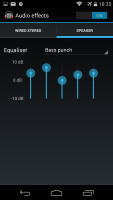
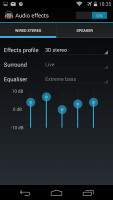
Equalizers
From the Settings key you can get into the equalizer. It can be turned on and off and features several equalizer presets along with a custom user defined one. If you plug in a headset, you can also play around with the Bass boost and 3D effect sliders.
FM radio with RDS
The FM Radio is a pretty straightforward affair. Once you plug in a pair of headphones (to act as an antenna), the app will scan the stations available in your region. You can also input the region manually if the app doesn't configure it correctly.
There is RDS support, too.
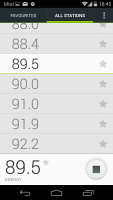
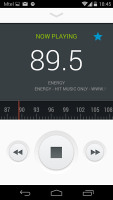
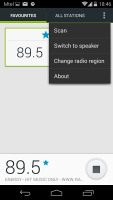
FM radio
Audio quality is adequate
The Motorola Moto E pulled in an adequate, if uninspiring performance in our audio quality test. The smartphone was averagely loud and demonstrated good dynamic range, low noise levels and decent distortion levels.
The frequency response and the stereo crosstalk with headphones left something to be desired, though, so we won't be recommending this one to any hardcore audiophiles. Considering its price range, though, we'd say the results are about right.
And here go the results so you can see for yourselves.
| Test | Frequency response | Noise level | Dynamic range | THD | IMD + Noise | Stereo crosstalk |
| Motorola Moto E | +0.28, -1.27 | -93.7 | 90.6 | 0.026 | 0.235 | -92.0 |
| Motorola Moto E (headphones attached) | +0.37, -0.91 | -92.8 | 89.9 | 0.013 | 0.223 | -34.7 |
| Motorola Moto G | +0.08, -0.85 | -92.1 | 91.9 | 0.0059 | 0.082 | -91.4 |
| Motorola Moto G (headphones attached) | +0.10, -1.03 | -92.0 | 91.8 | 0.010 | 0.117 | -50.4 |
| Sony Xperia E1 | +0.15, -0.16 | -83.3 | 85.9 | 0.0083 | 0.020 | -80.1 |
| Sony Xperia E1 (headphones attached) | +0.28, -0.18 | -81.2 | 86.6 | 0.0085 | 0.148 | -45.0 |
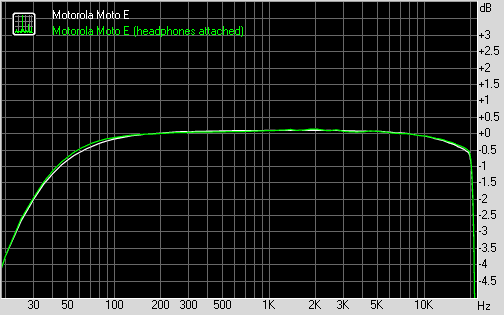
Motorola Moto E frequency response
You can learn more about the whole testing process here.


Tip us
2.1m 180k
RSS
EV
Merch
Log in I forgot my password Sign up